
Create certificates online with AI
Describe your design or start from a template. Add names, dates and course details in Studio, then review your certificate before export.
Ready to create
Upload a photo or write a detailed prompt to watch AI bring your idea to life.
Create certificates online with AI
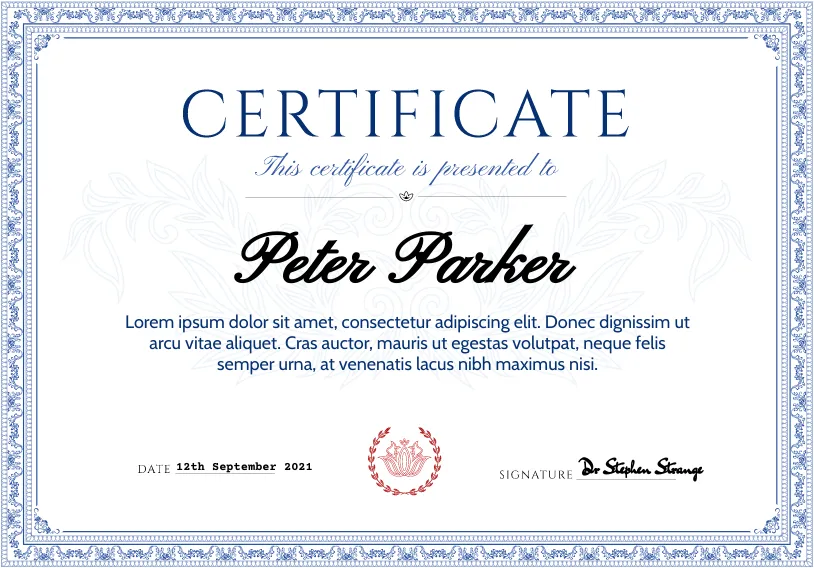
Combine custom visual backgrounds with structured, editable fields so names and dates never look distorted.
- Clear certificate layoutsChoose a template or create an AI background with space for readable certificate details.
- Personalize the detailsEdit names, dates and issuer details. For a group, import a recipient list and check each mapped field.
- Download PDF or PNGCheck the preview and export cost, then download one certificate or a ZIP for multiple recipients.
From design to download
Choose a certificate style, enter recipient details in Studio, and download single or batch PDFs.
Describe your design
Choose a certificate style and describe the colors, borders and layout you want.
Personalize the details
Edit names, dates and issuer details. For a group, import a recipient list and check each mapped field.
Download PDF or PNG
Check the preview and export cost, then download one certificate or a ZIP for multiple recipients.
Describe your design
Choose a certificate style and describe the colors, borders and layout you want.
Personalize the details
Edit names, dates and issuer details. For a group, import a recipient list and check each mapped field.
Download PDF or PNG
Check the preview and export cost, then download one certificate or a ZIP for multiple recipients.
Frequently asked questions
Answers about export formats, credit pricing, and reviewing customized certificate wording.
Which formats can I download?
Studio exports PDF or PNG. Batch downloads contain a separate file for each recipient.
How are credits charged?
AI generation uses credits. The price appears before generation. Export costs depend on your plan and the number of certificates.
Will AI keep every word accurate?
AI can change or misread text. Review every result and use editable fields for names, dates and other exact details.
Create certificates online with AI
Turn a short text brief or studio template into crisp, print-ready certificates in seconds.